
Inventory management without the ERP overhead
Know what's in stock, what expires next, and where every lot went.
Track stock, catch shortages and manage expiry dates. Add purchasing and sales as your business grows.
Lots and expiry dates included free, up to 1,500 SKUs. No card.
One product, from the shelf to the customer
A perishable product with lots and expiry switched on, handled by two people.
A bakery uses flour with the earliest expiry date first. A cosmetics brand finds who got a batch. A dental supplier can't ship an expired lot.
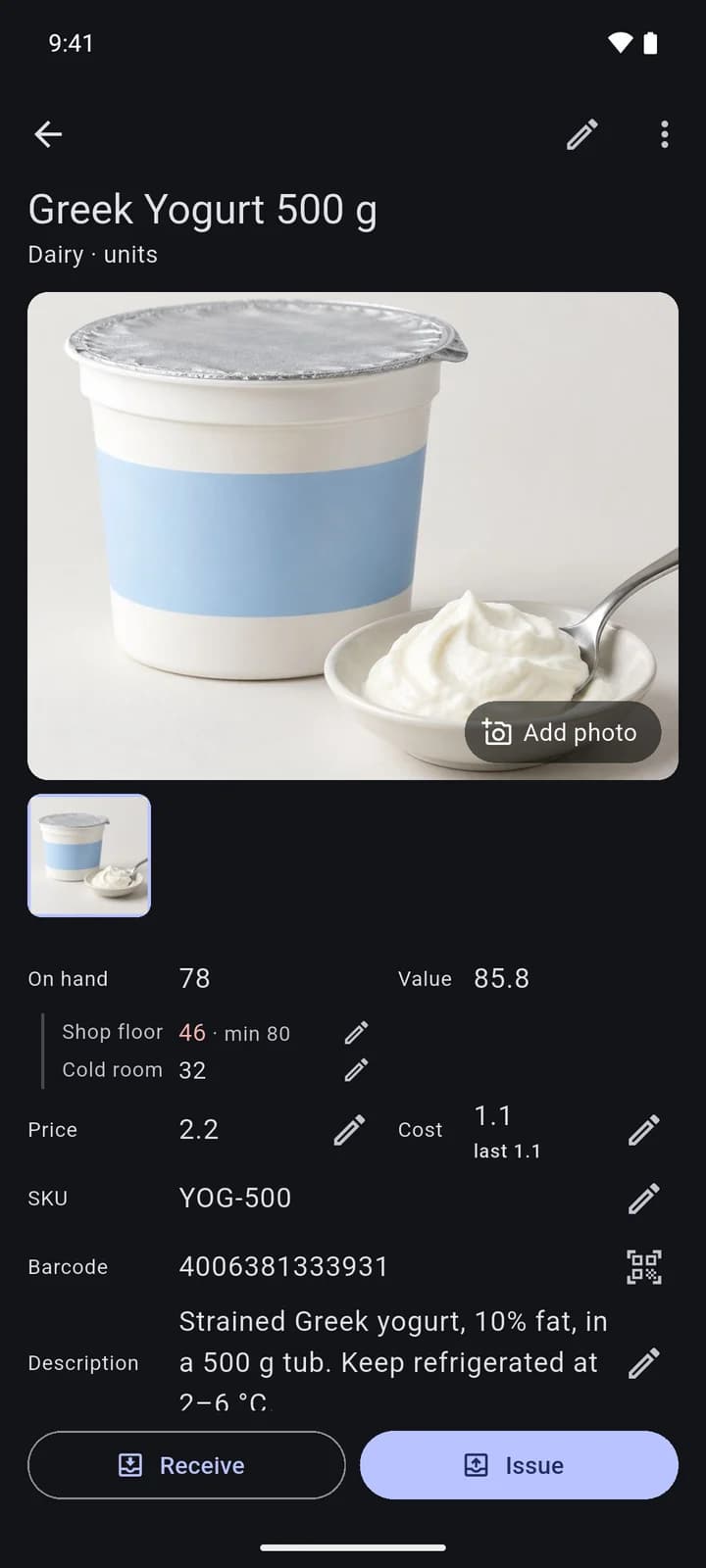
A teammate, on the phone
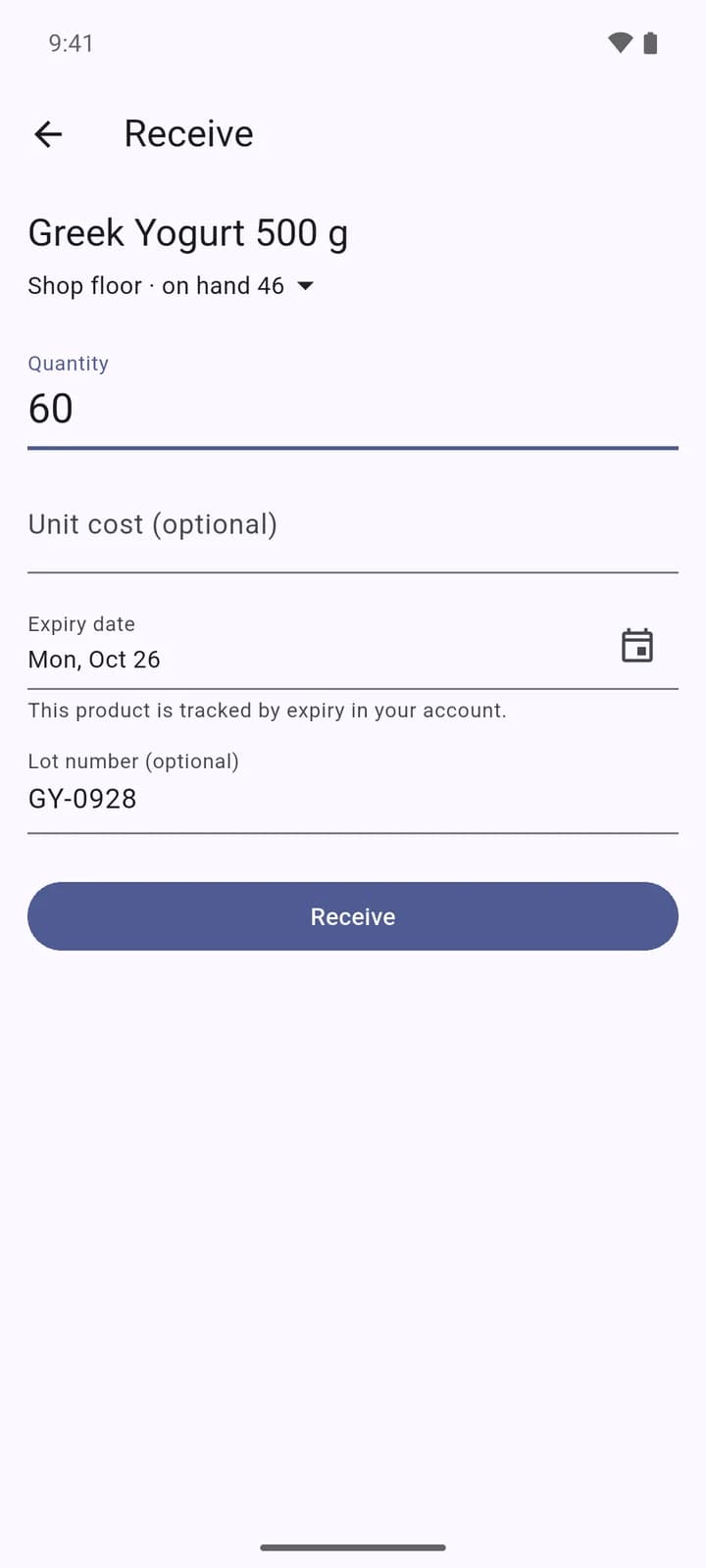
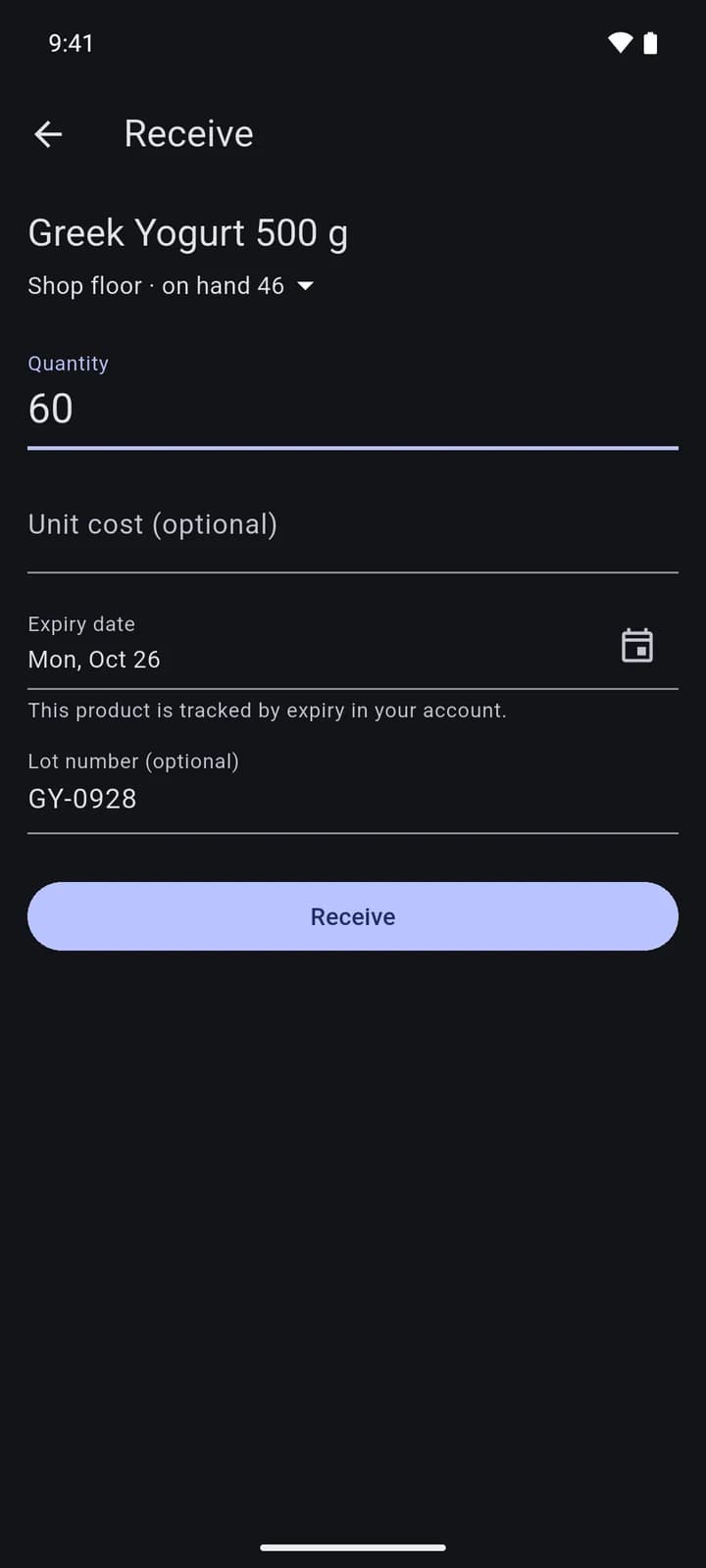
Received at the shelf
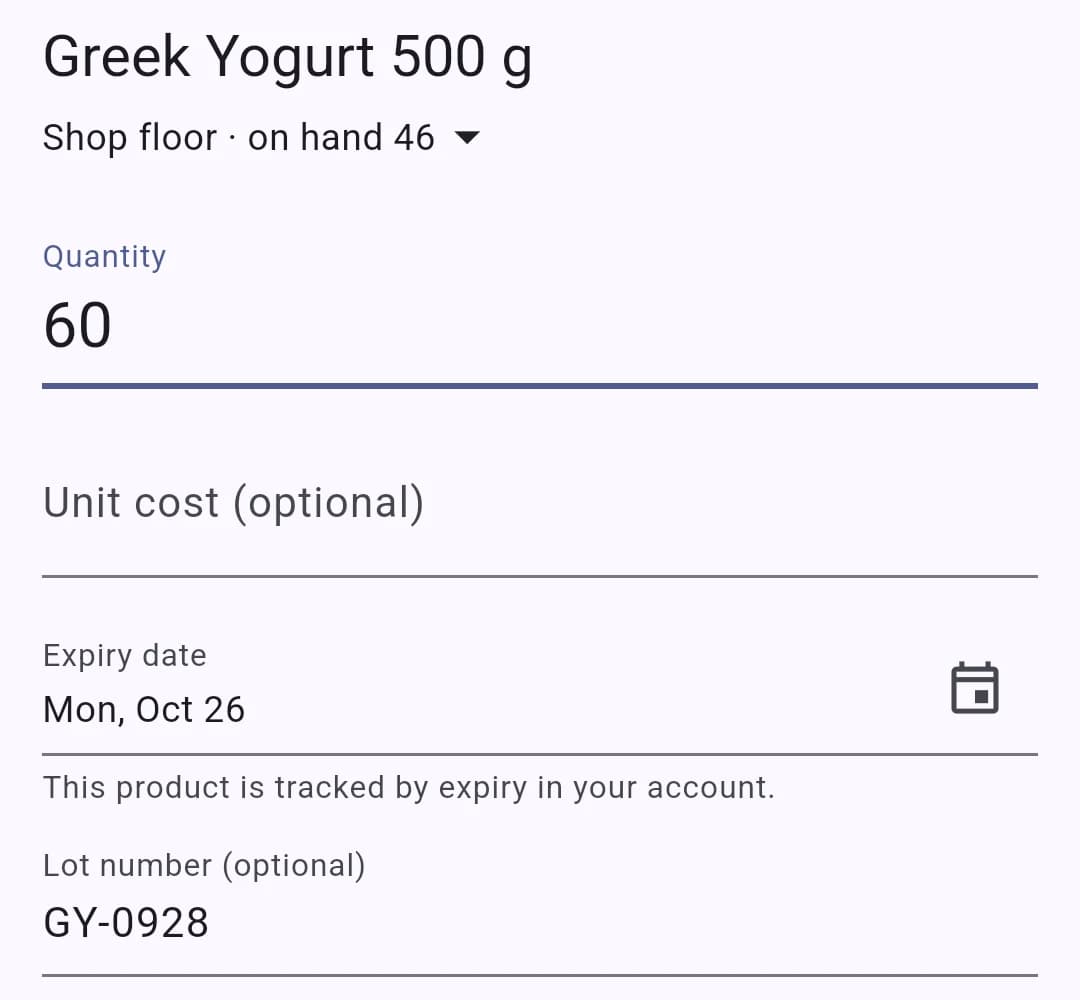
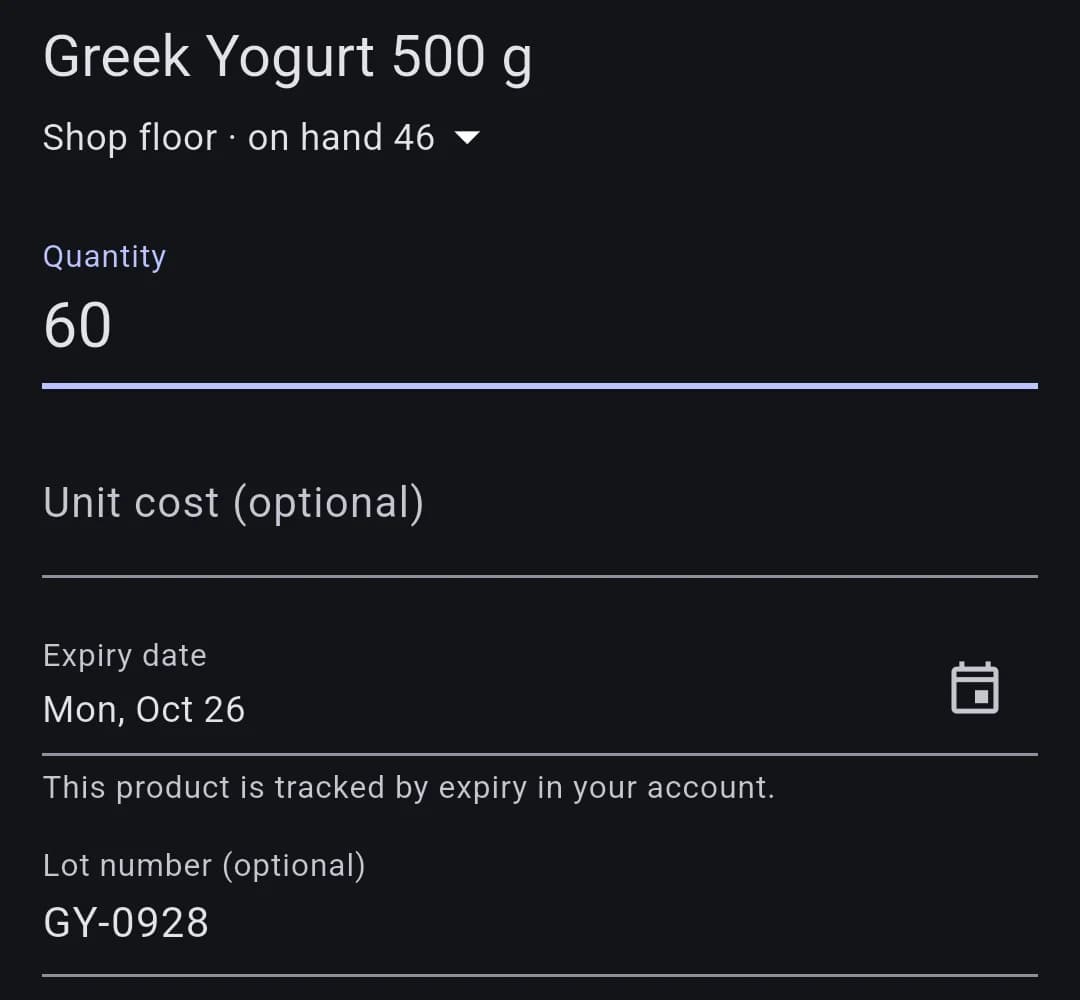
Scanning the label opens Receive with the lot and the expiry date already filled in from the barcode.
You, in the web app
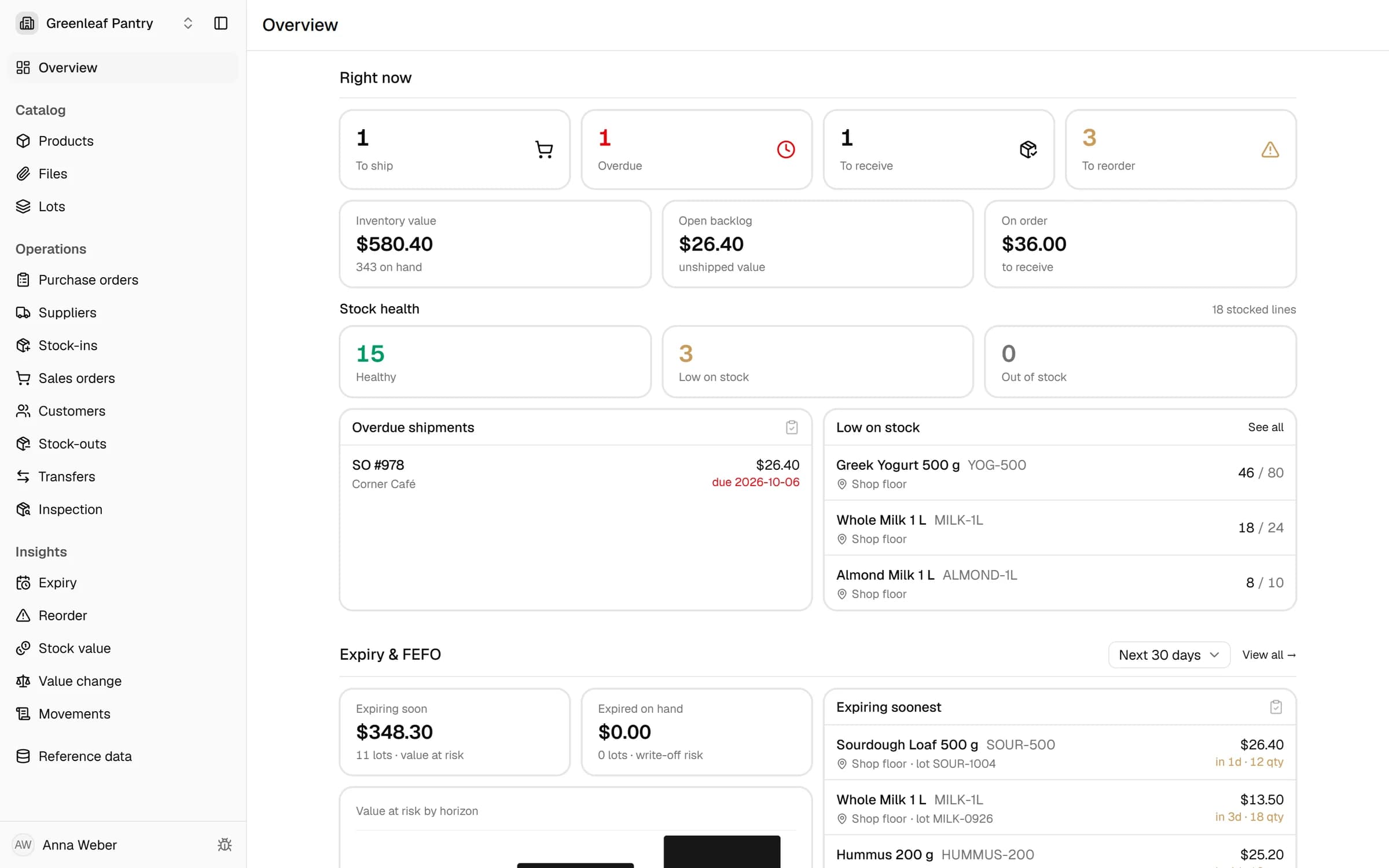
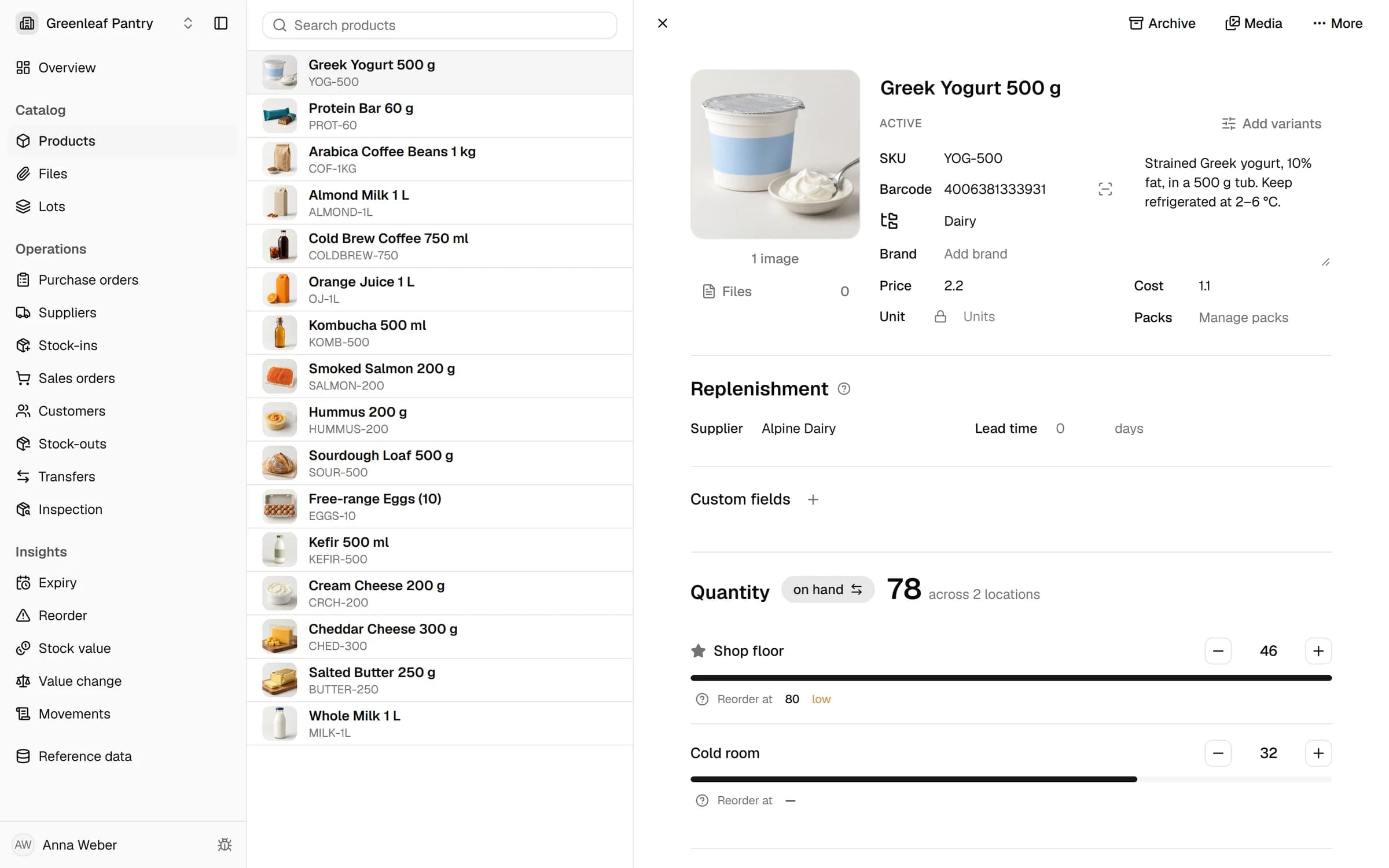
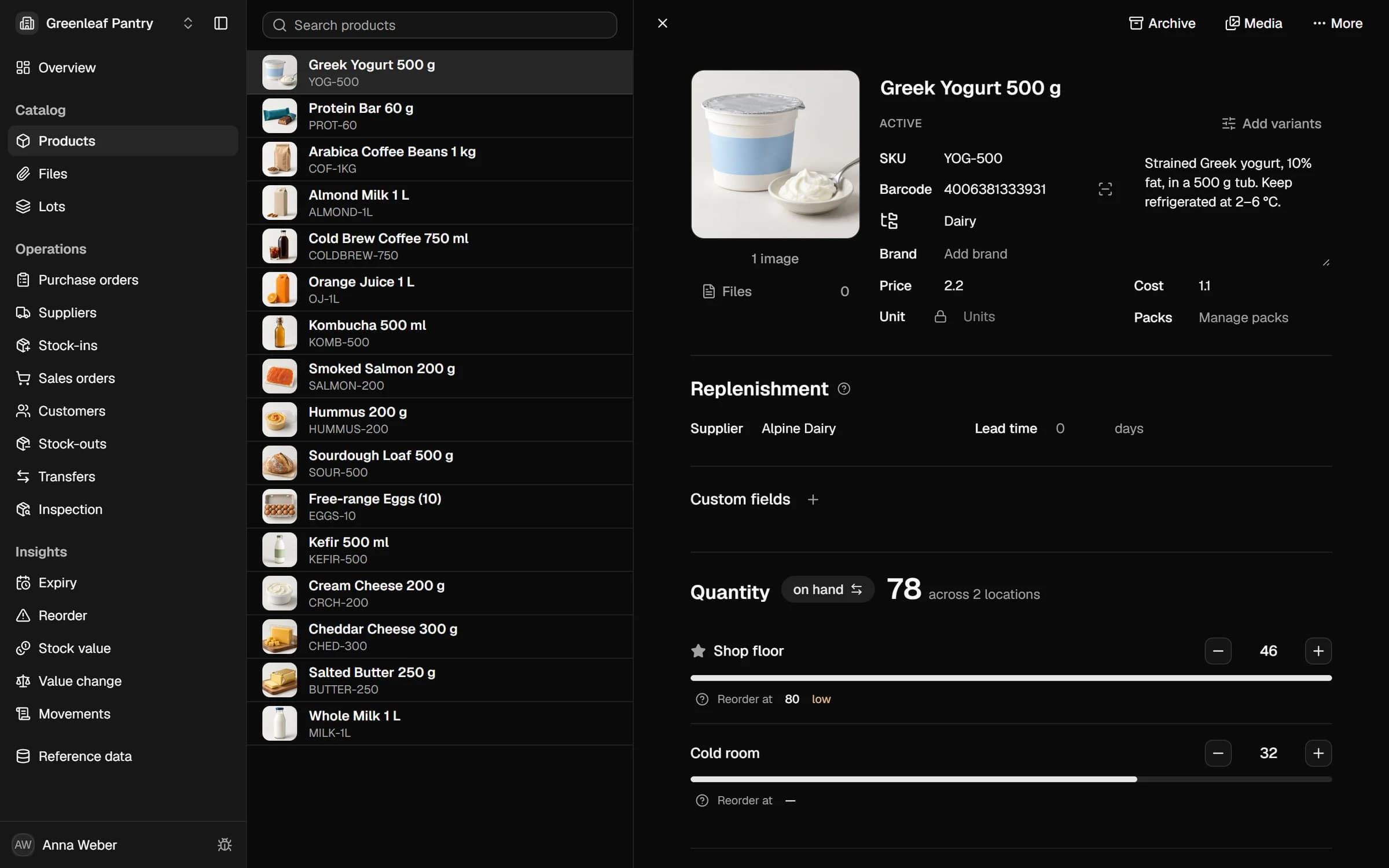
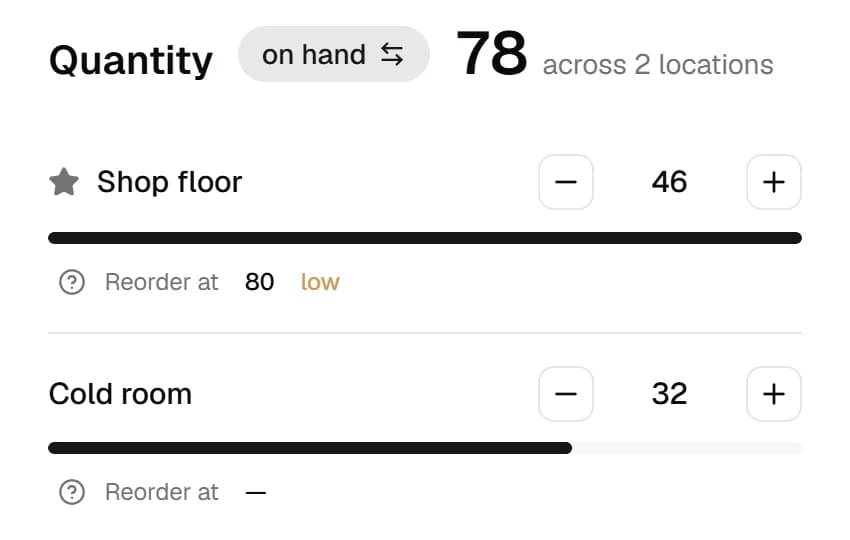
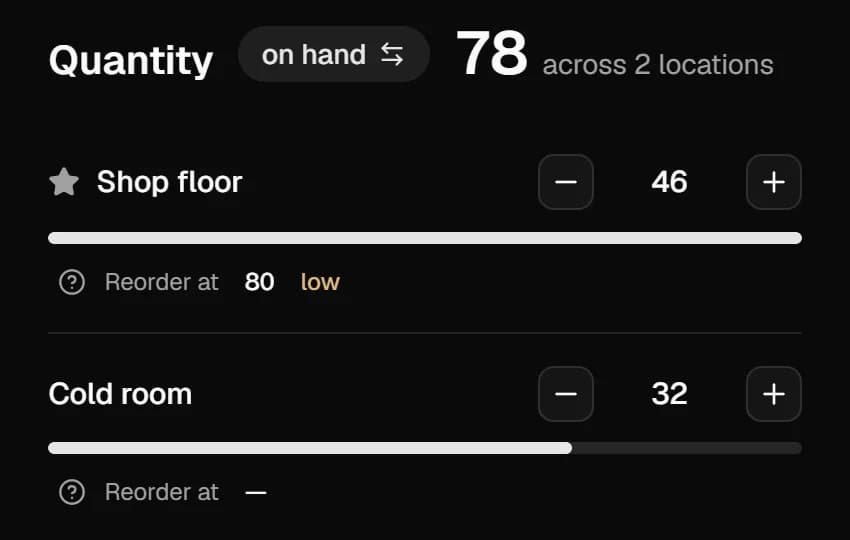
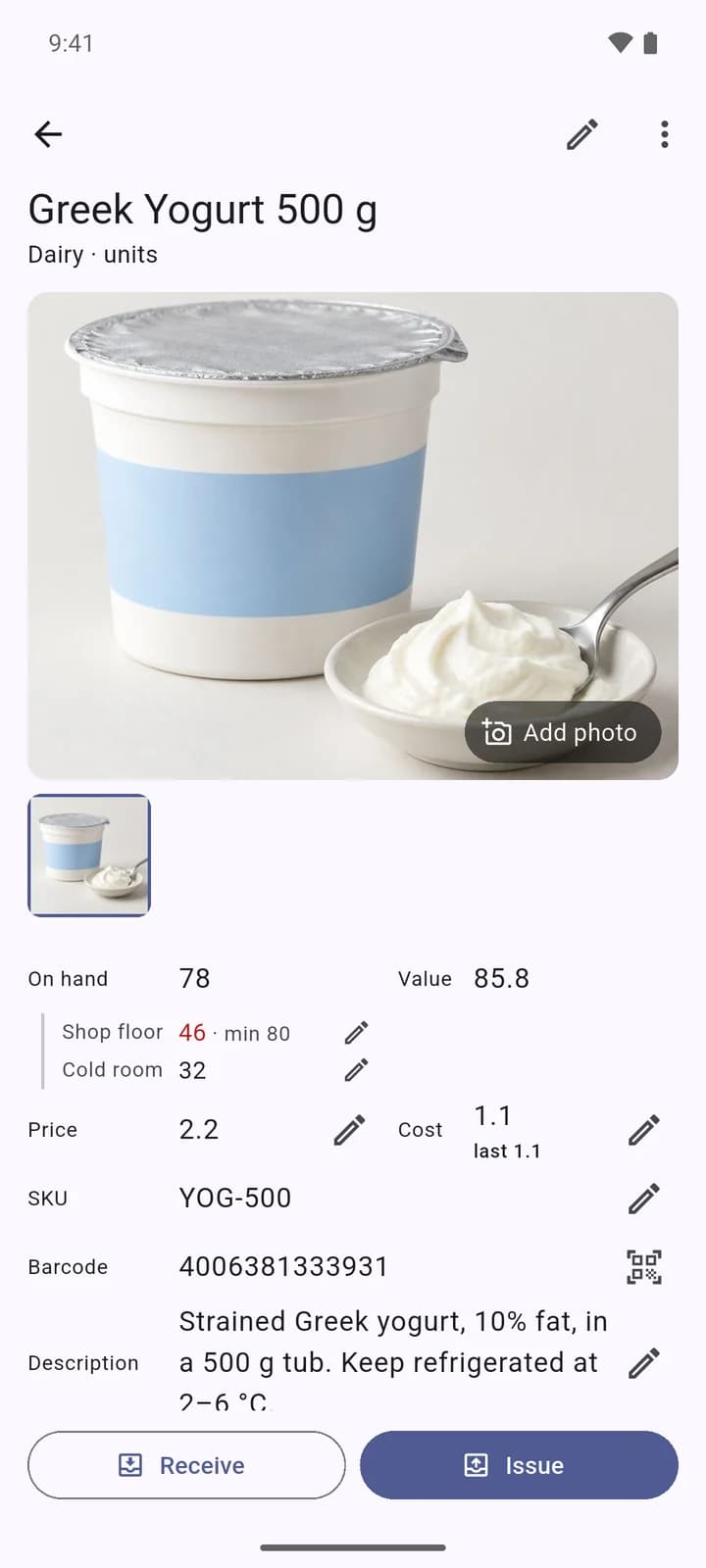
On hand by location
Once the phone syncs, the receipt is in the web app with the rest of the stock, per location and against its reorder point.
You, in the web app
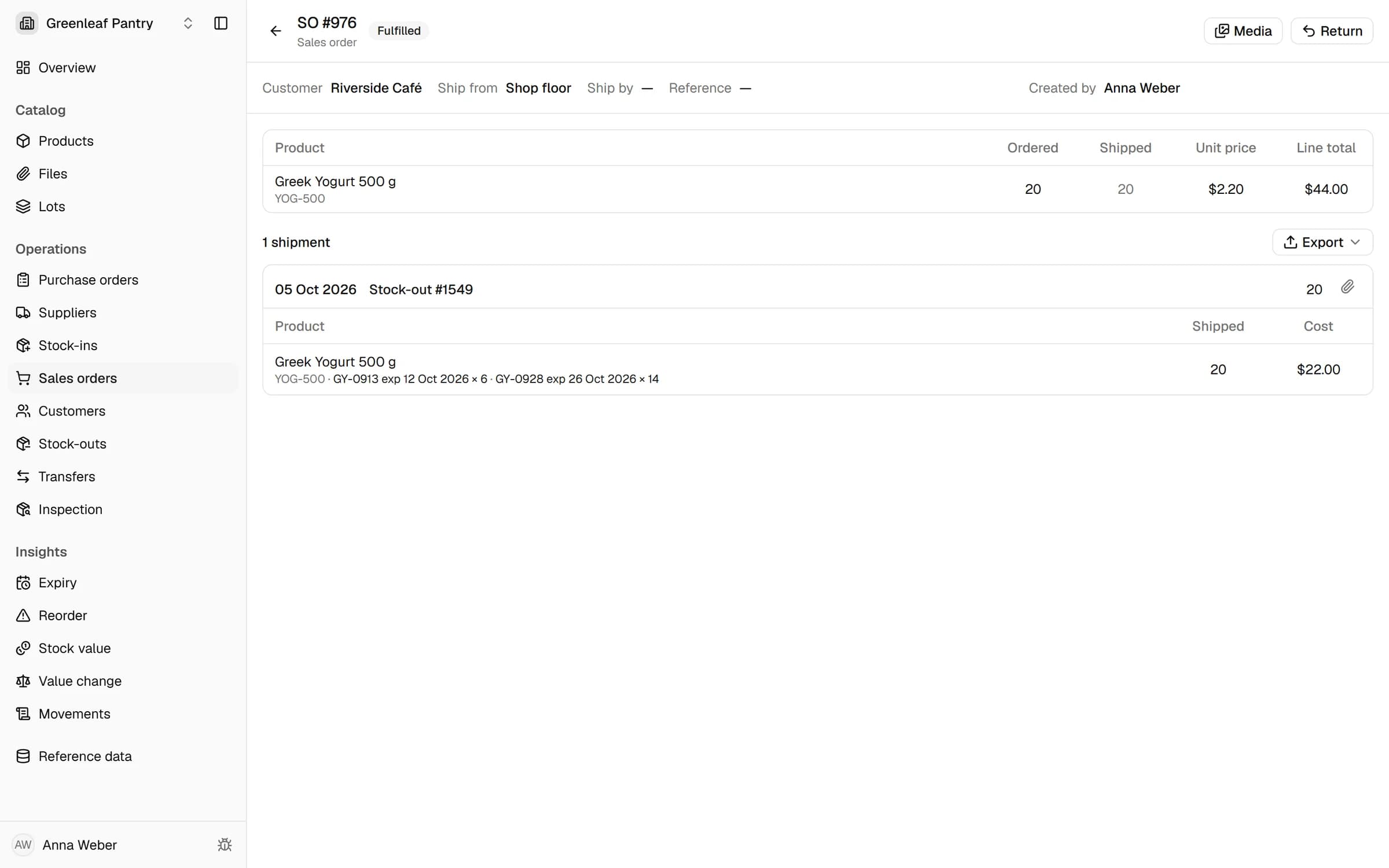
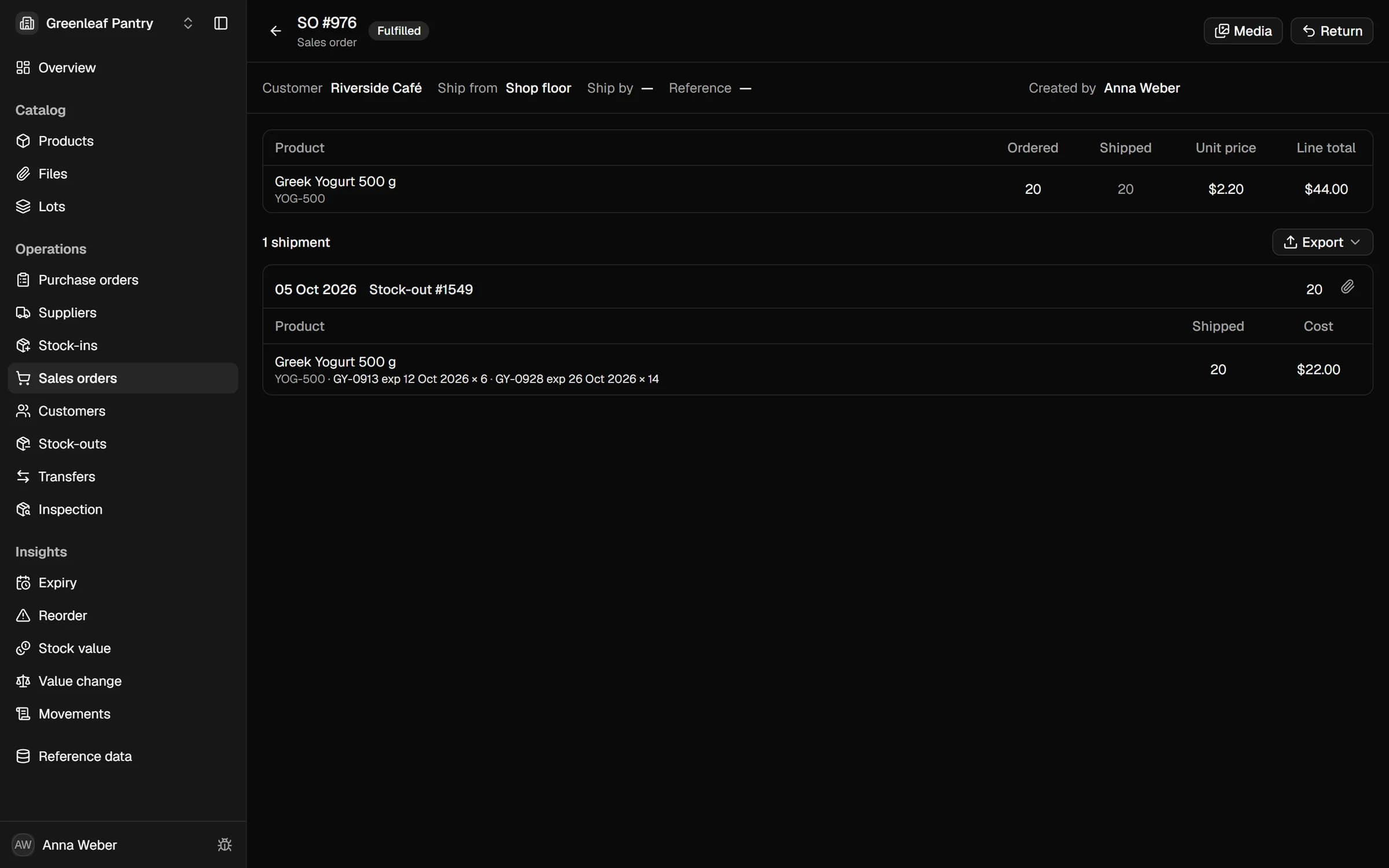
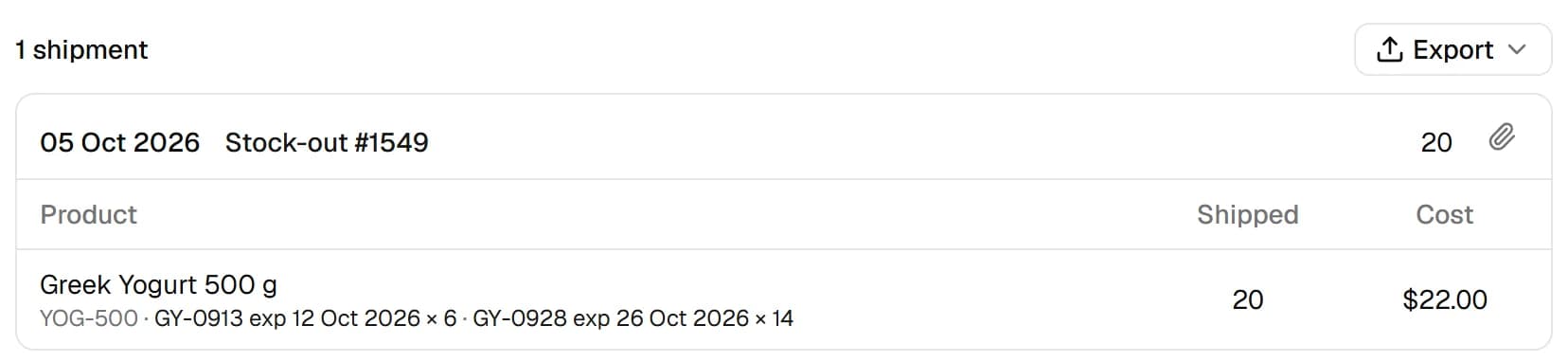
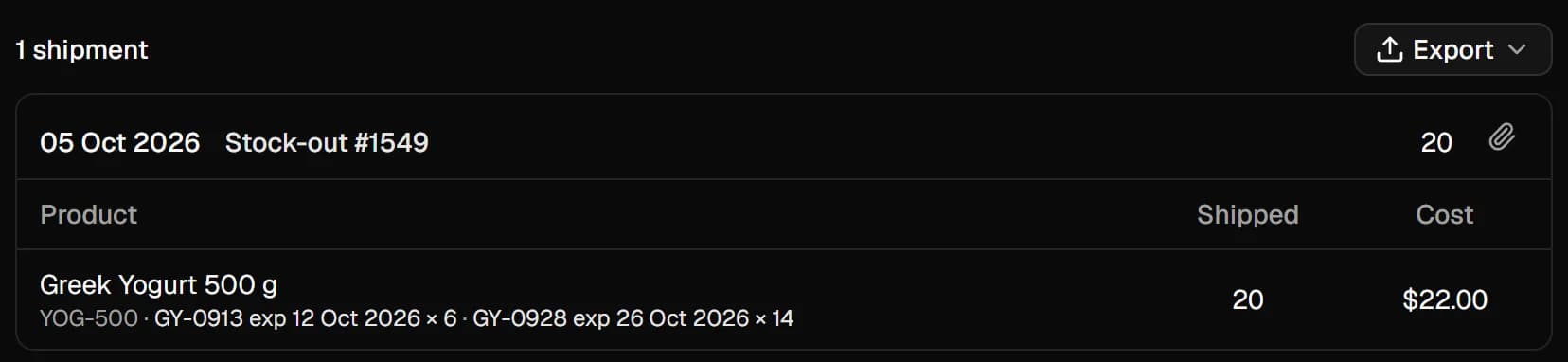
Shipped earliest expiry first
An order for 20 took the last 6 of the lot that expires first, then 14 from the next one. Nobody picked the lots by hand.
The app, by itself
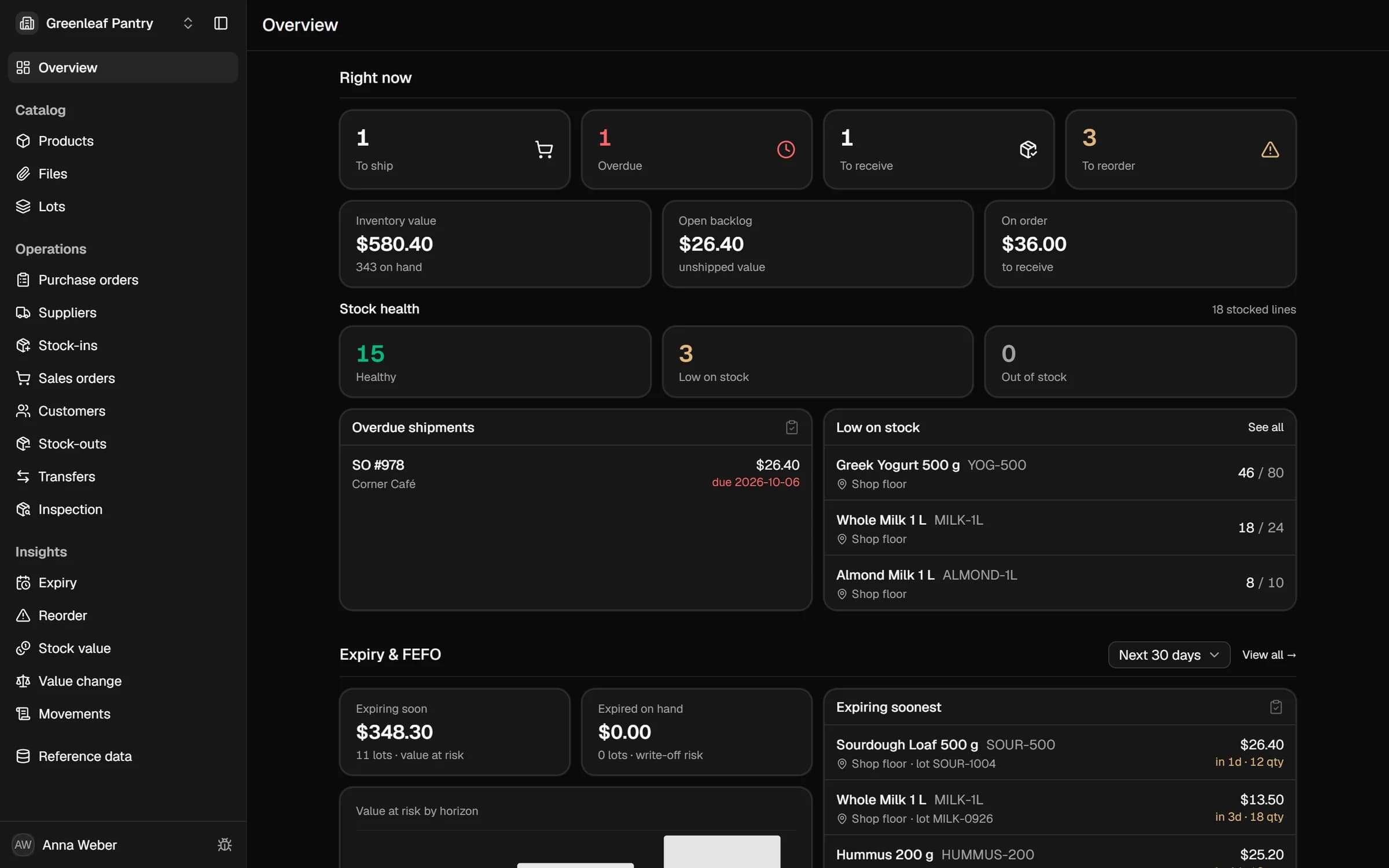
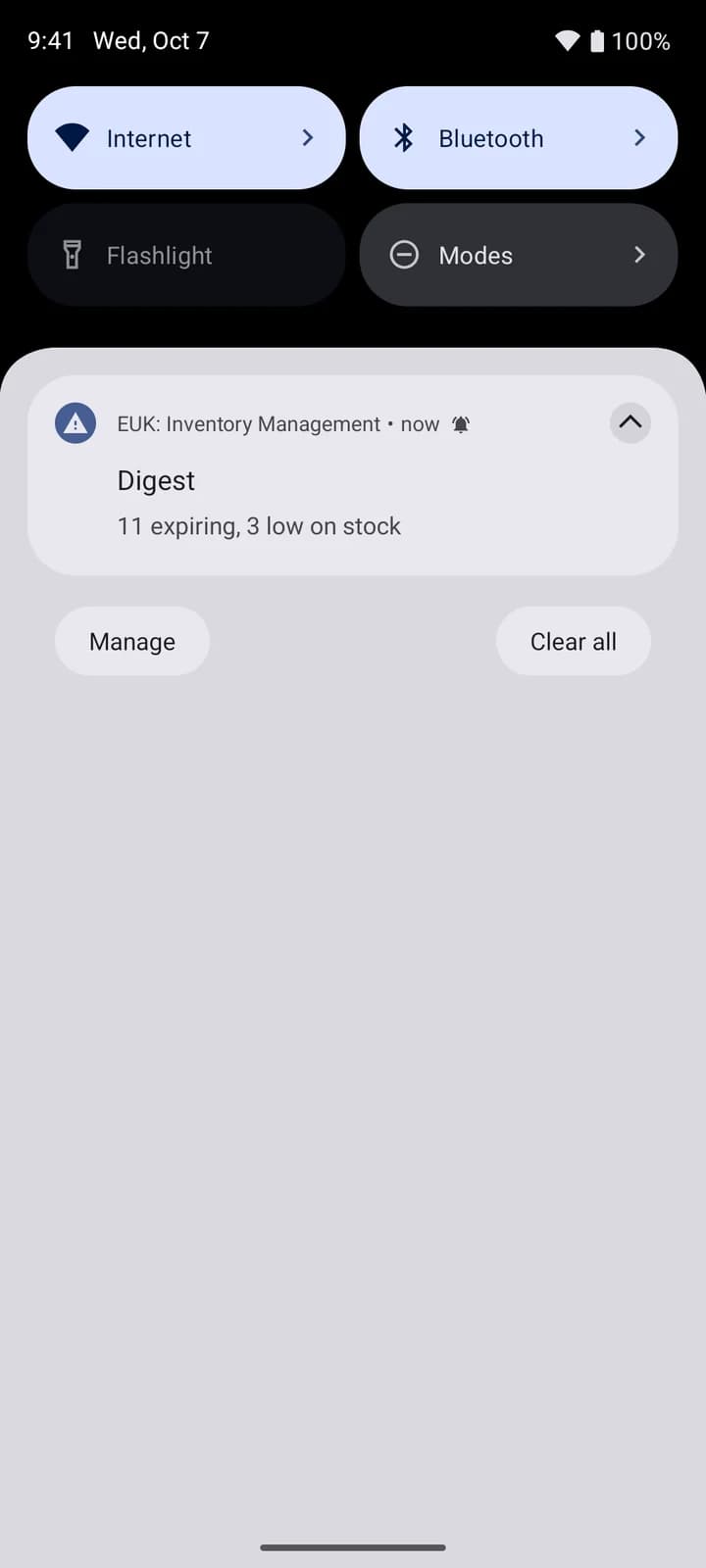
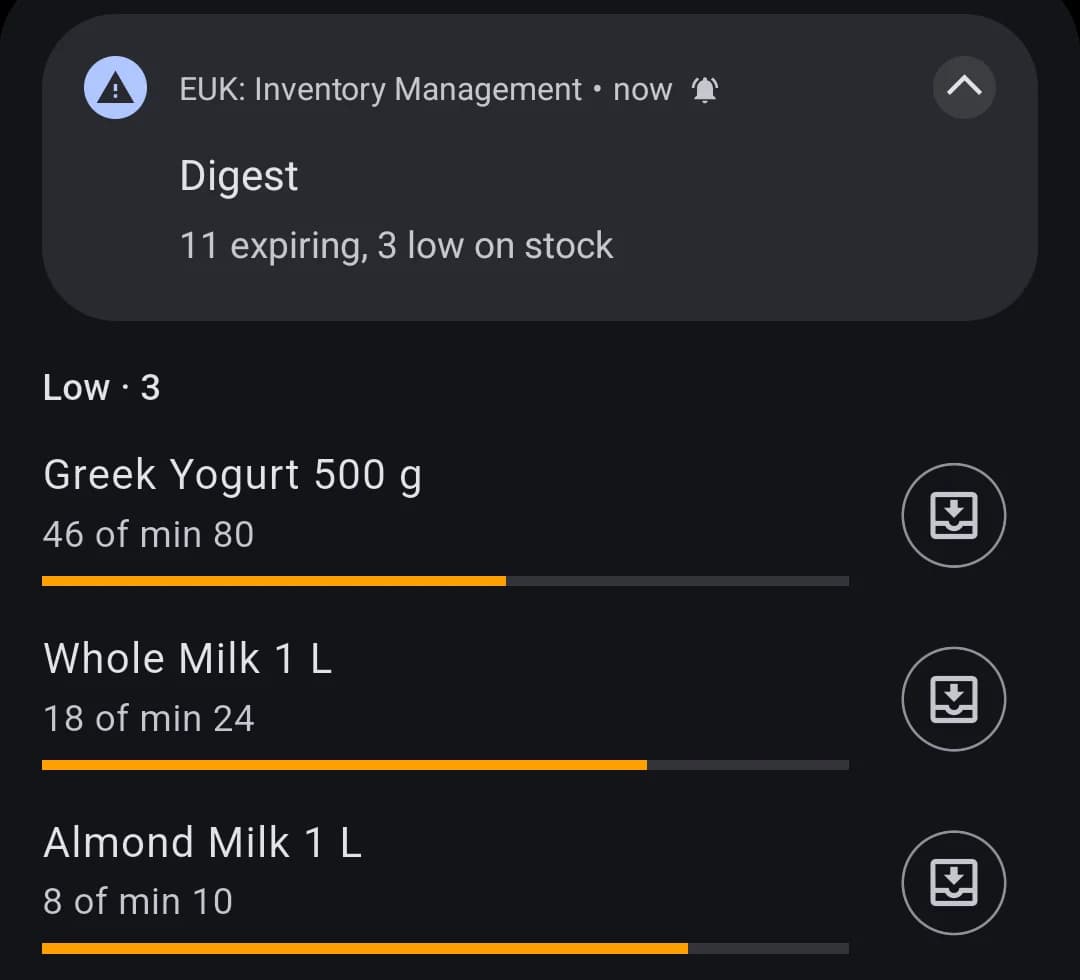
Warned before it runs out or expires
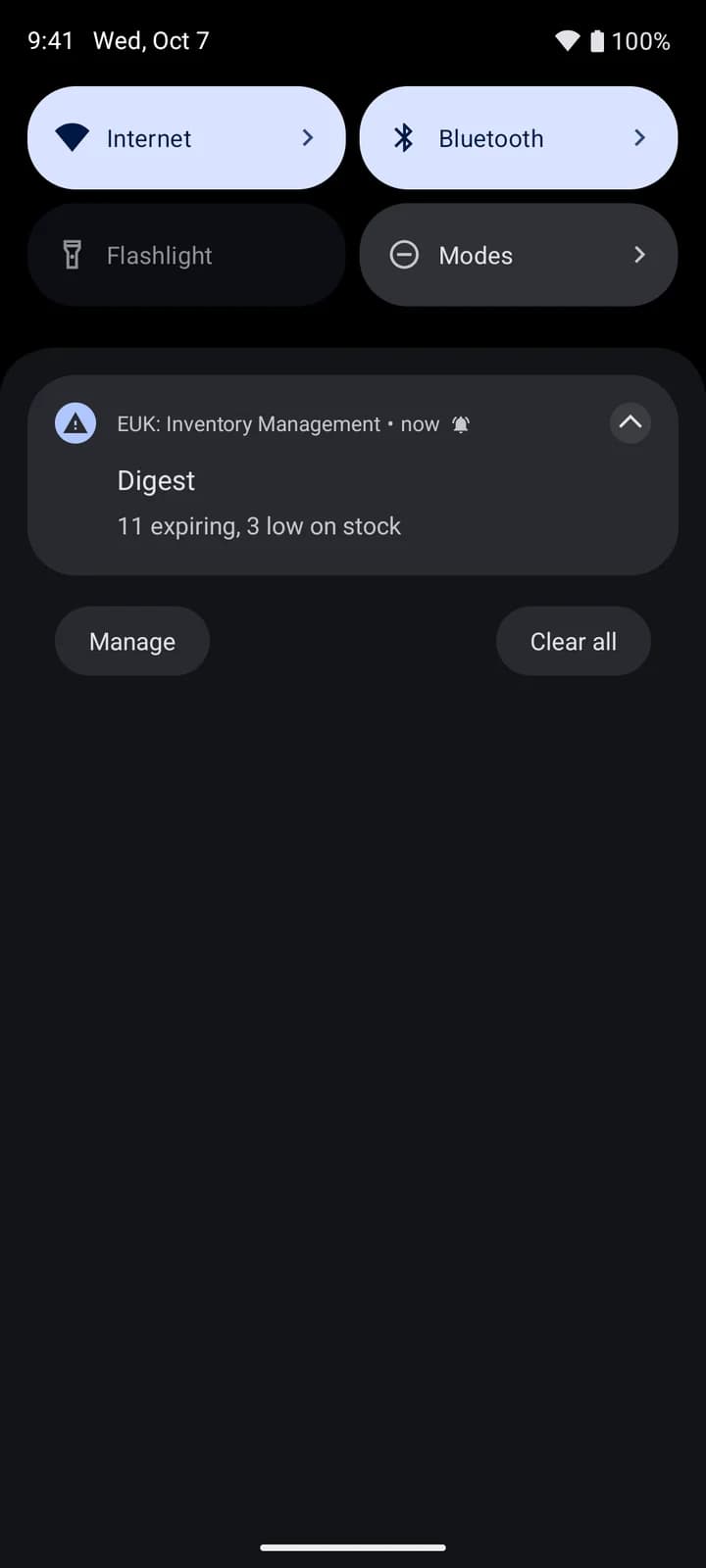
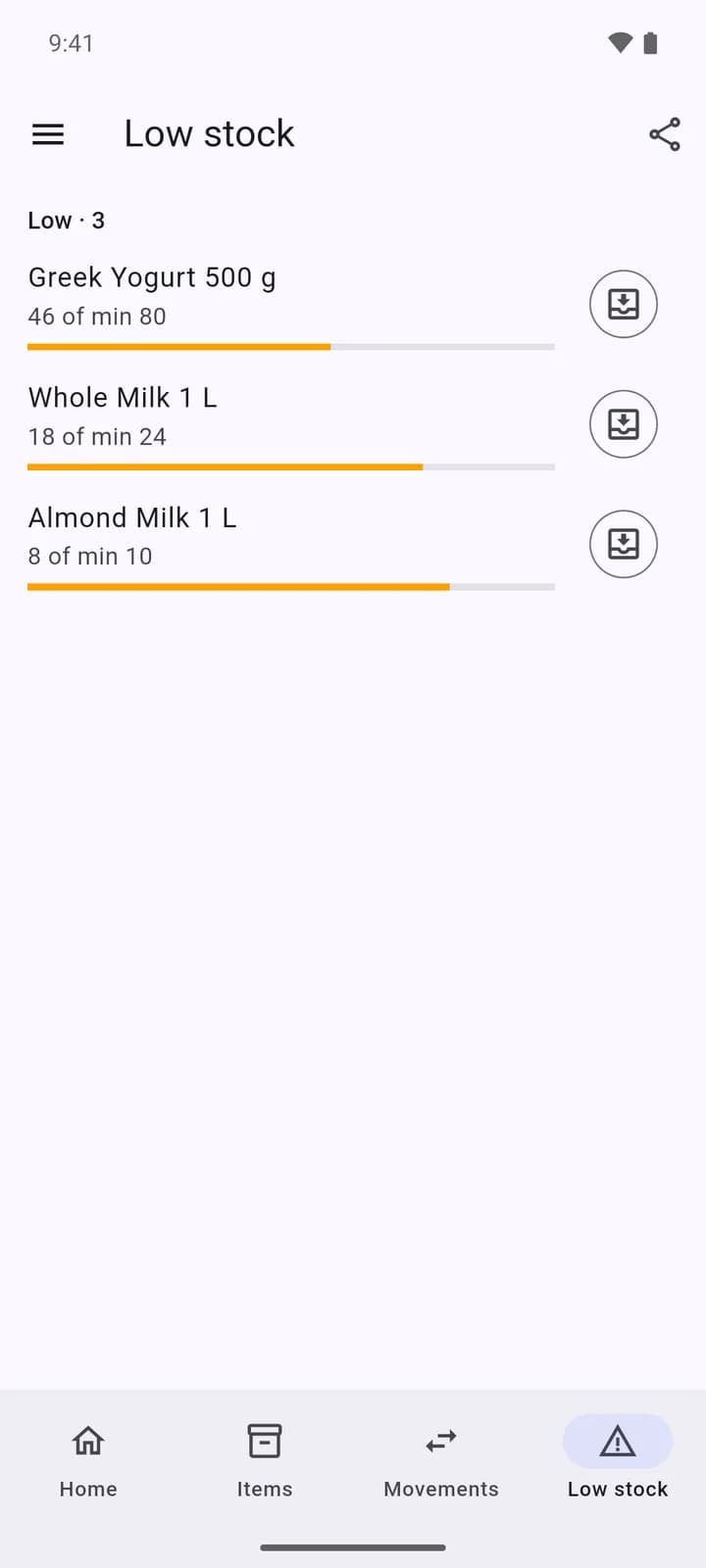
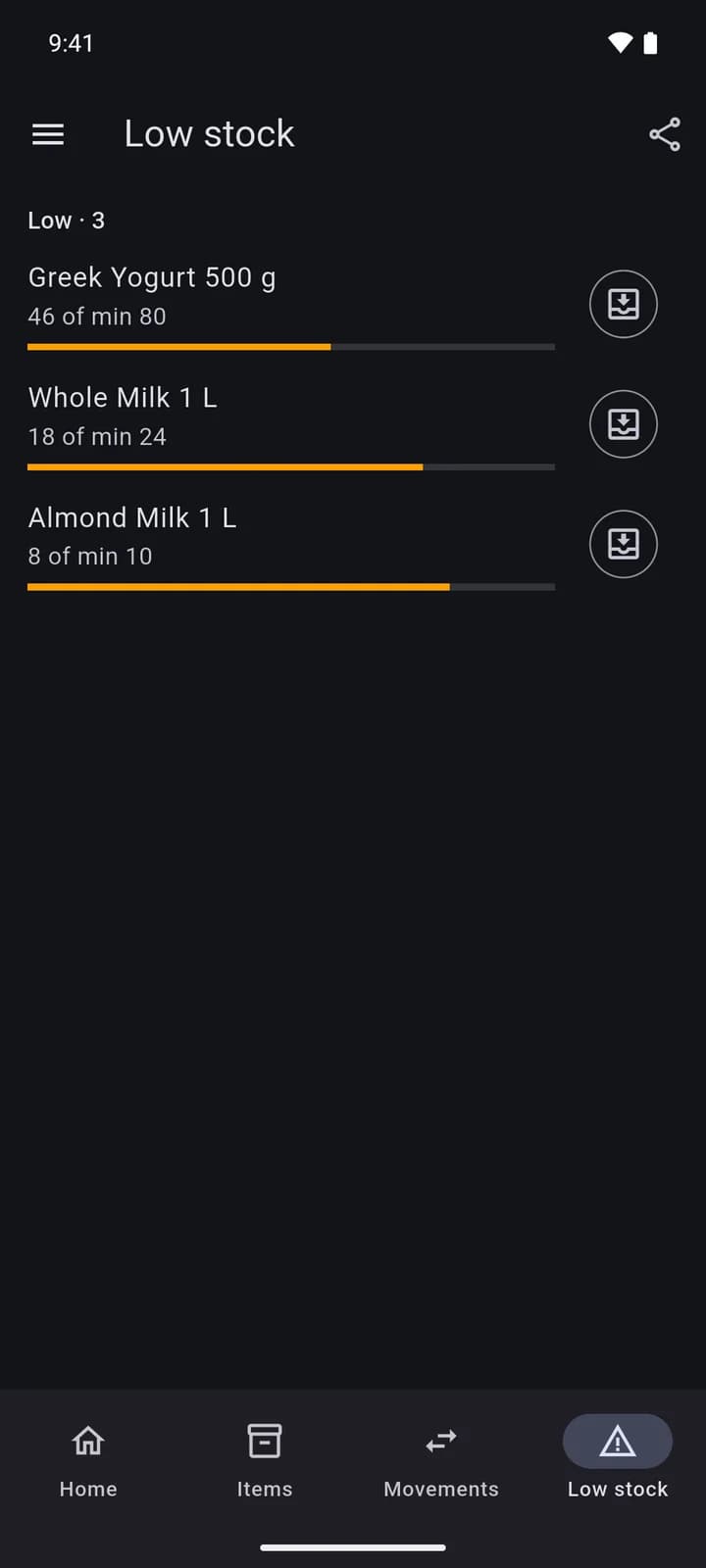
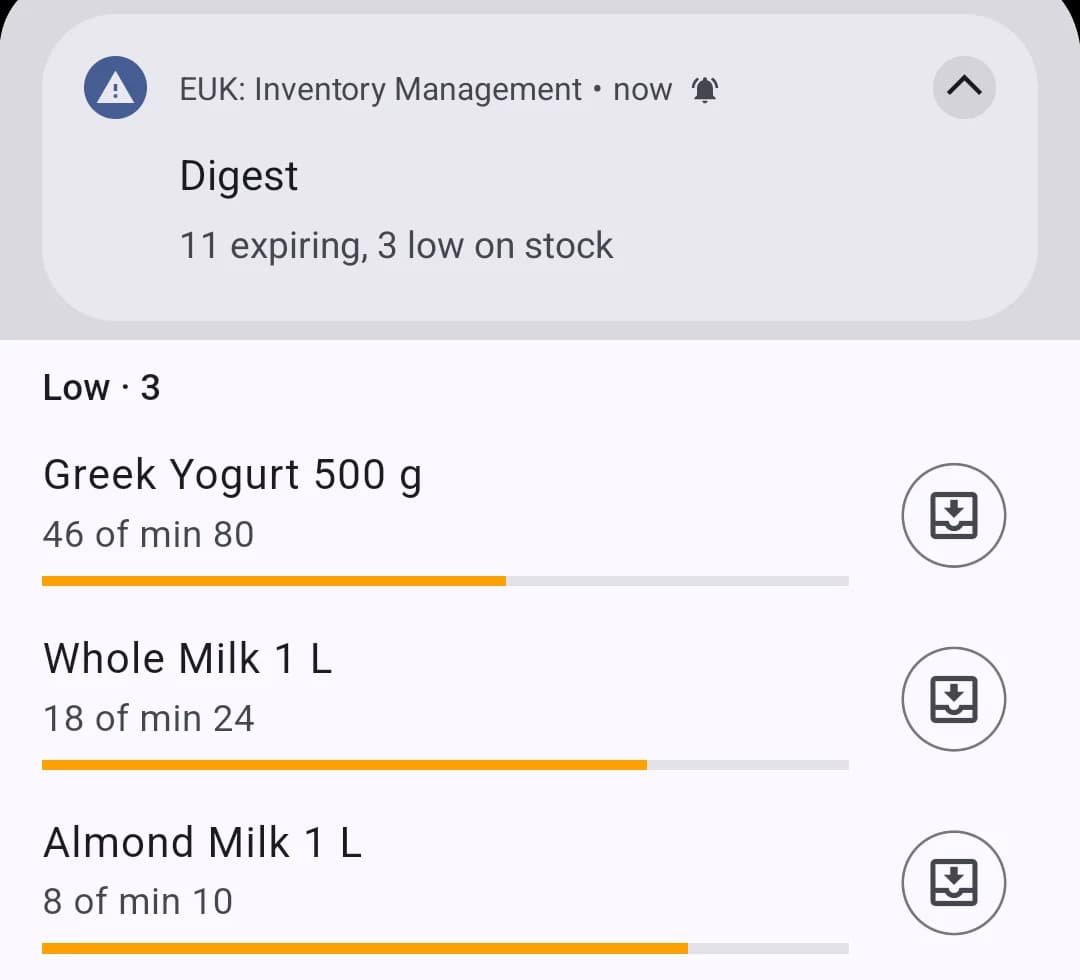
A digest arrives as a push at the hour you choose: the lots expiring soon and the products below their reorder point.
You, in the web app
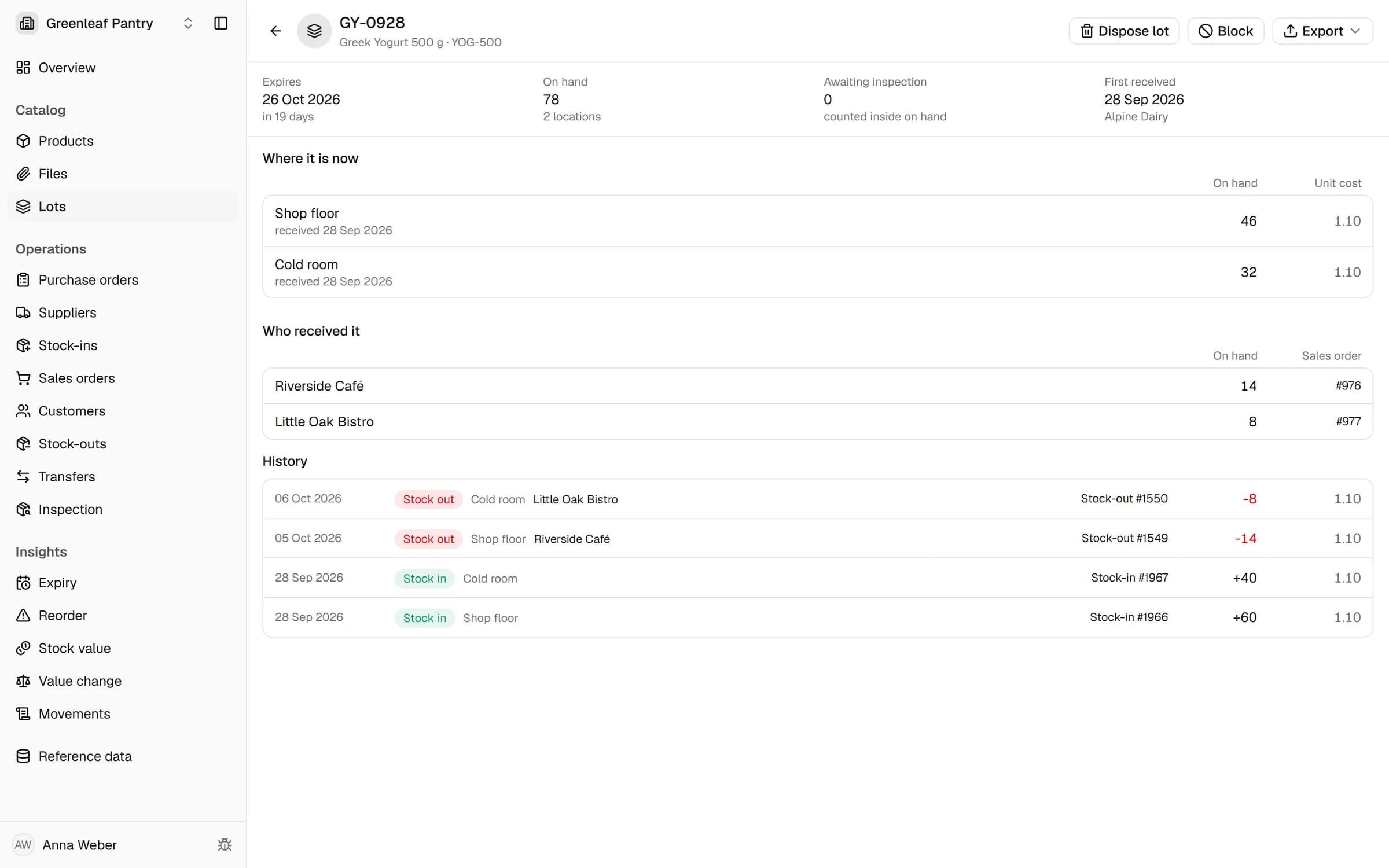
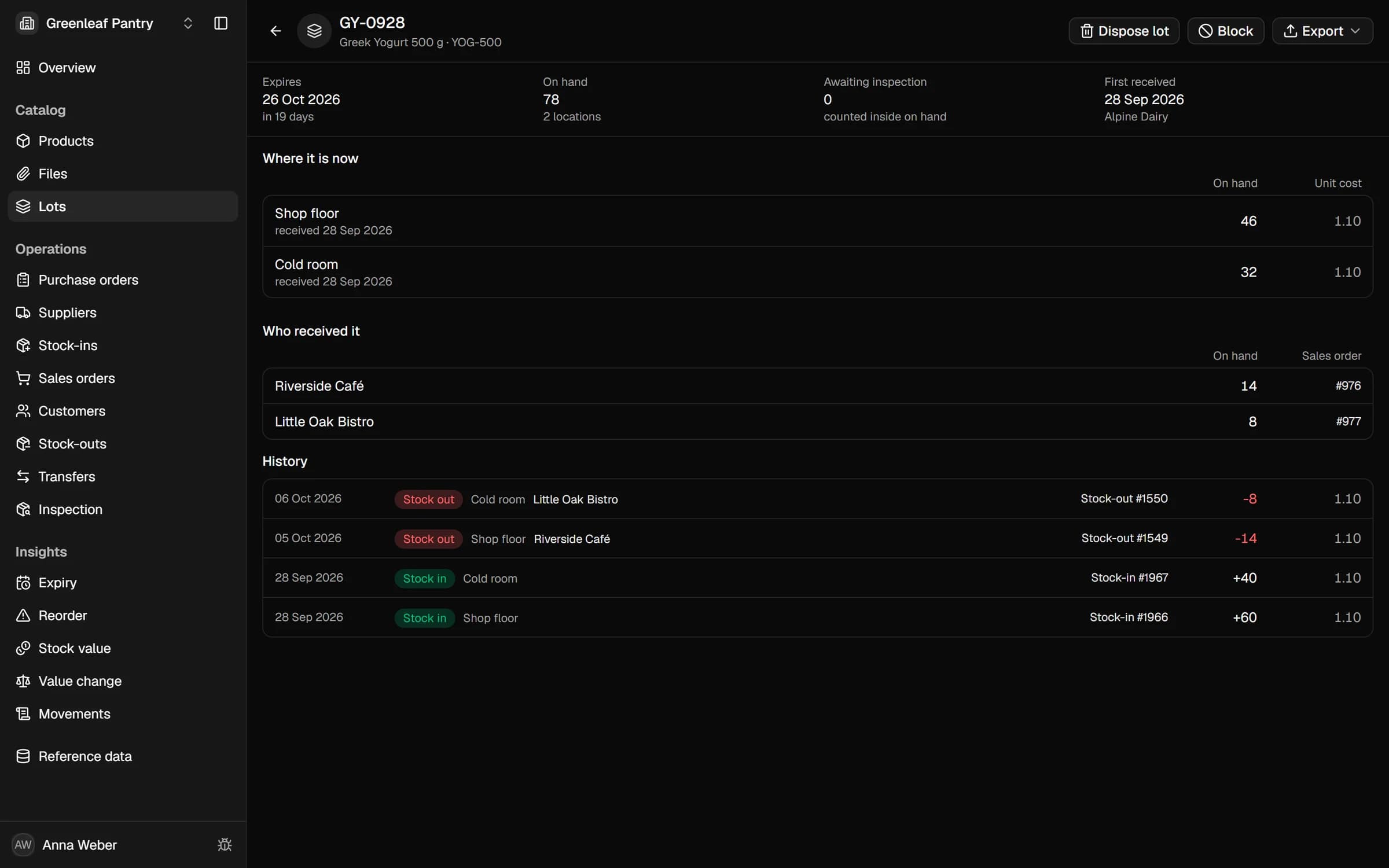
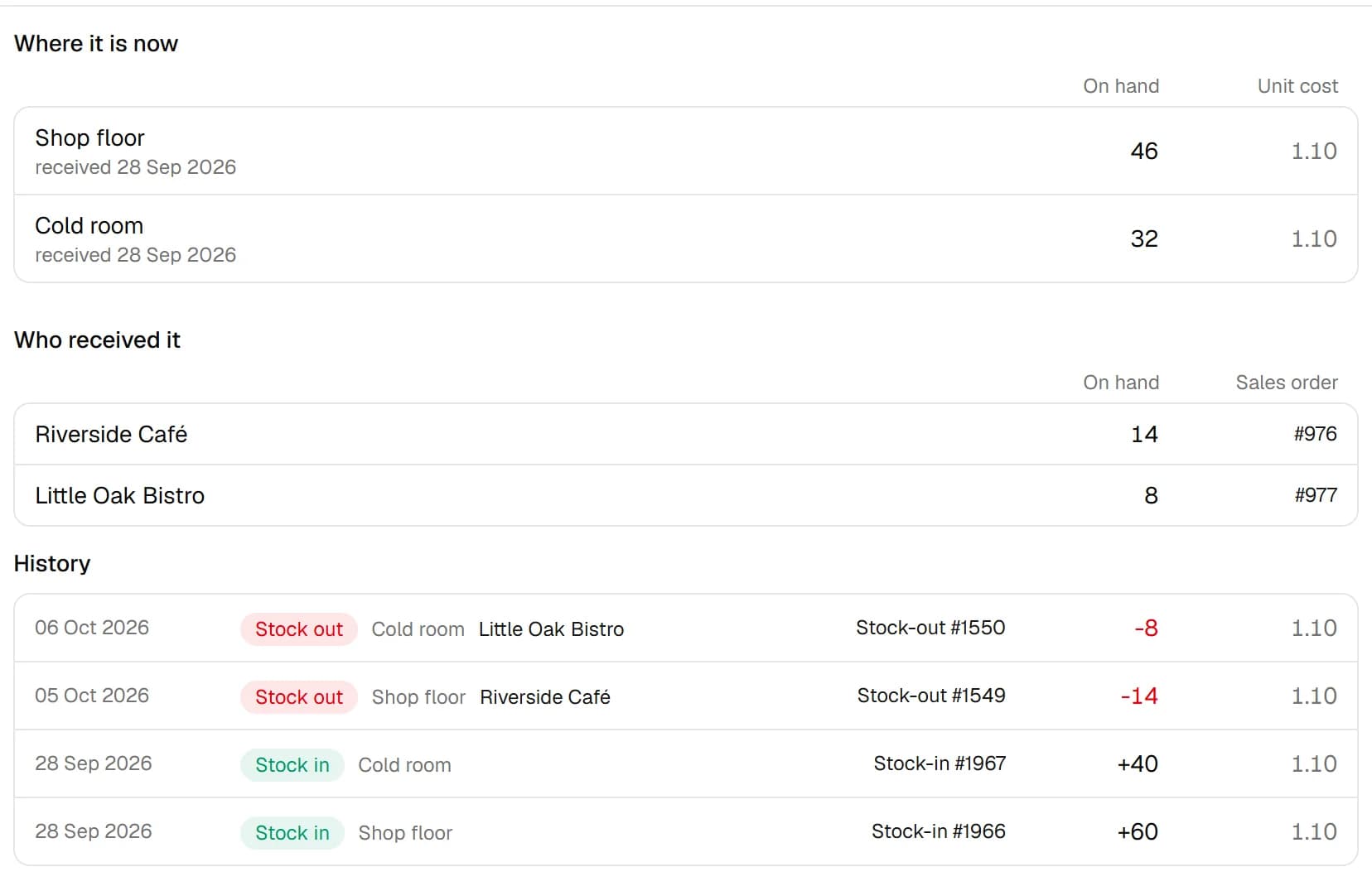
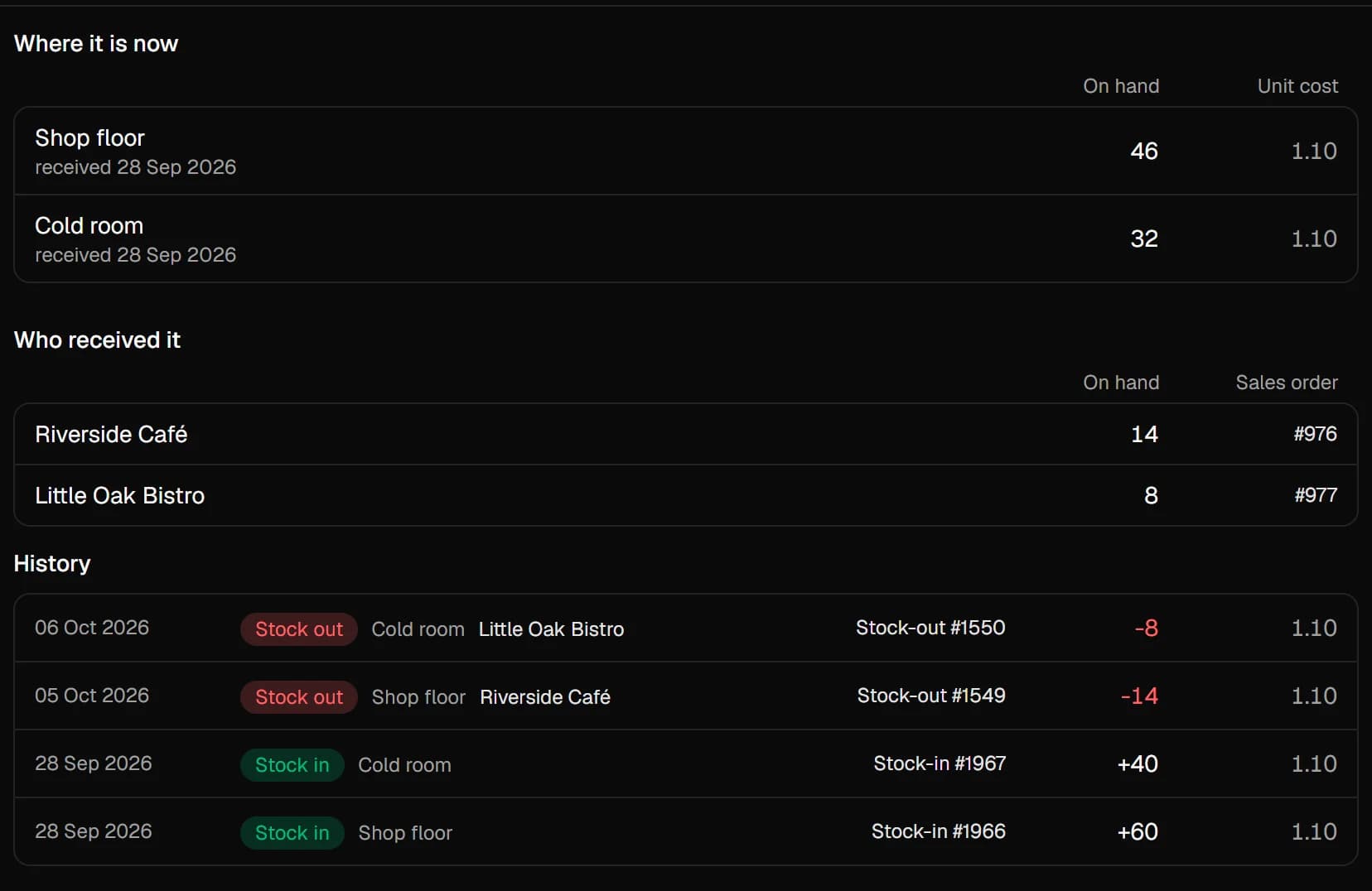
A pulled lot is traced in one step
The lot card shows where the lot is now, which customers received it on which sales order, and every movement in between.
Two switches. Only the screens you need.
Every mode is on every plan — no tier gates a screen, no upcharge to switch.
The essentials
Always onThe shape every new workspace starts in.
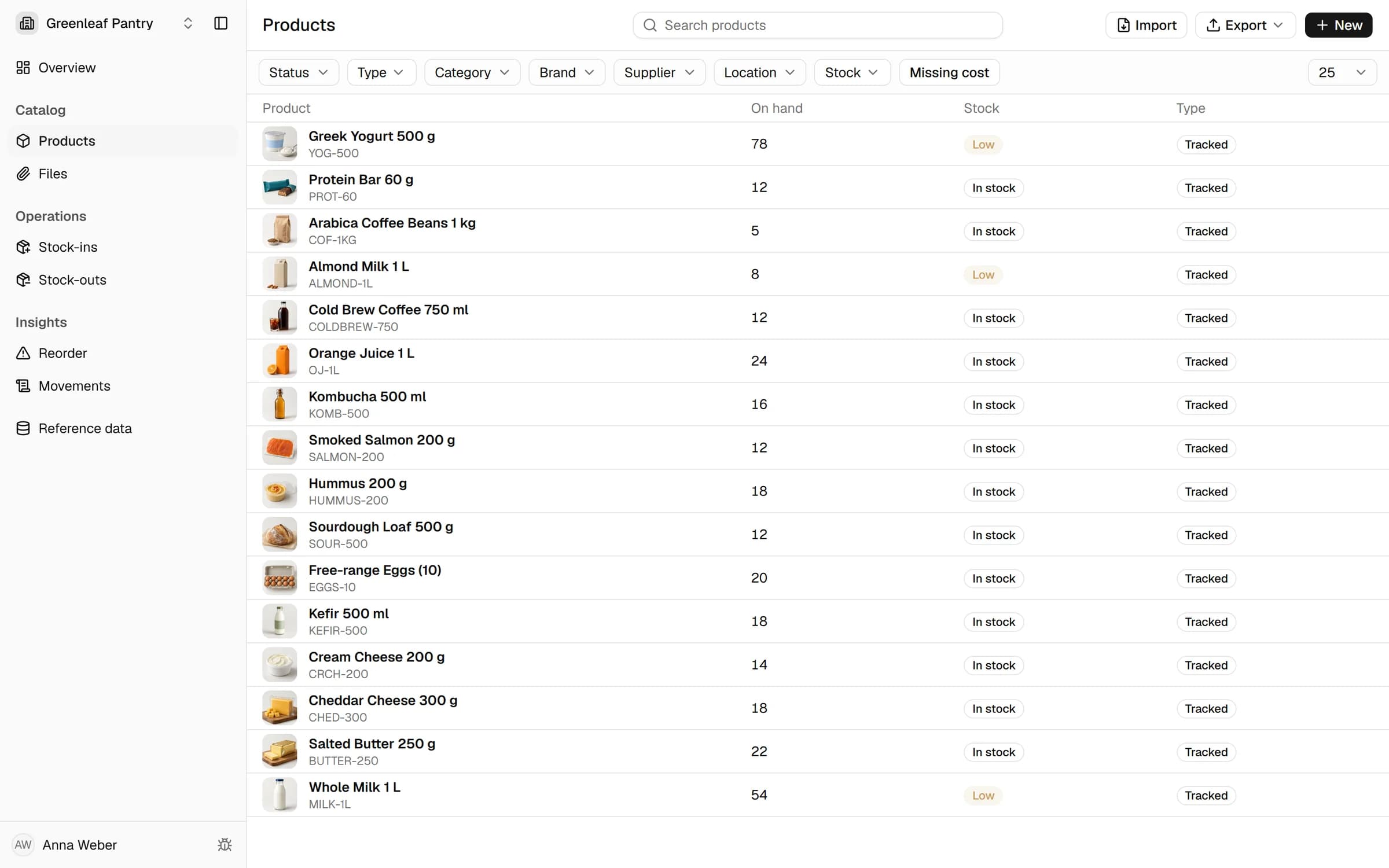
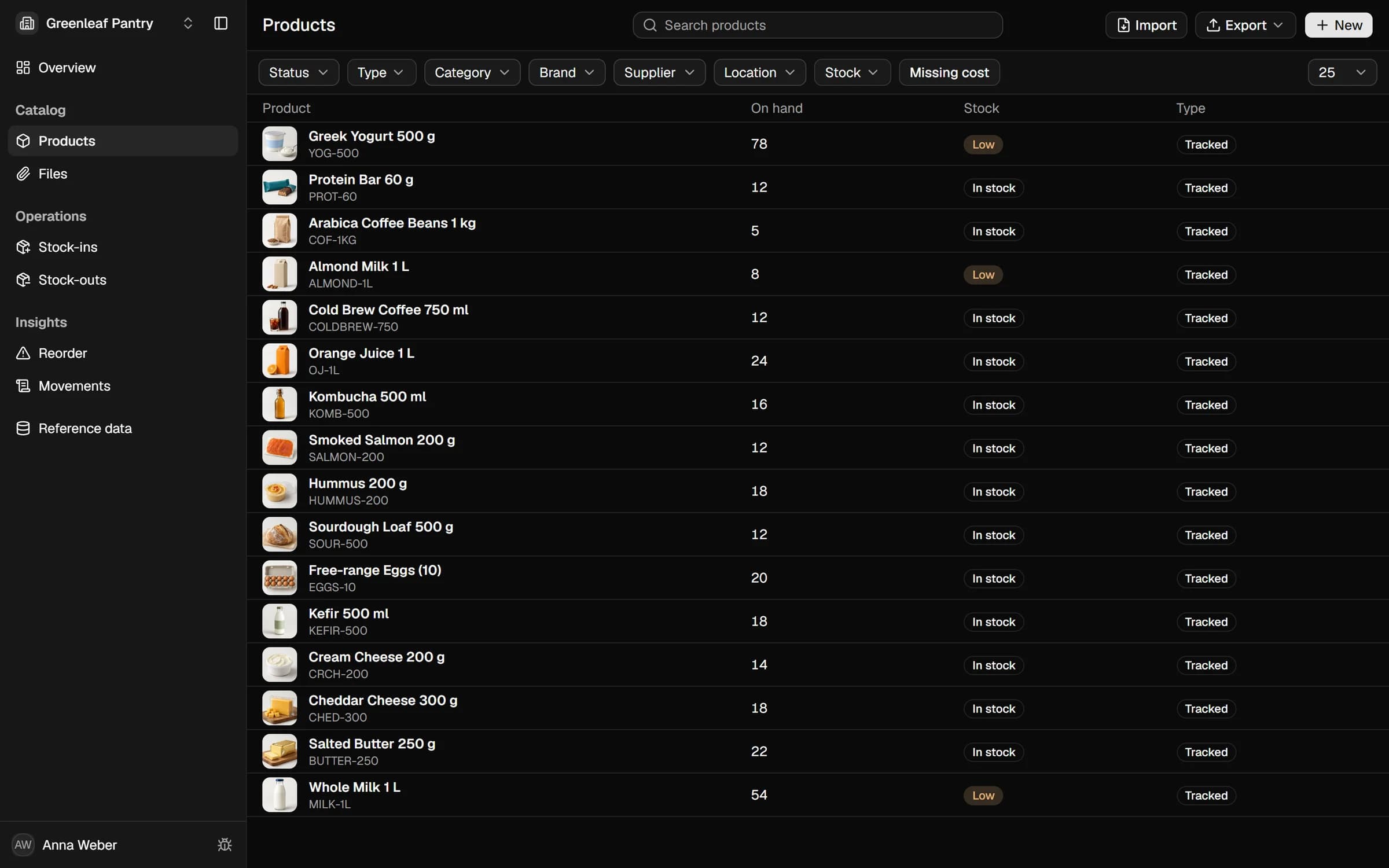
Products
Your catalogue with on-hand and reorder points.
Stock-ins & stock-outs
Goods received, used, sold or written off.
Reorder alerts
Everything below its reorder point, in one list.
Lots & expiry
OptionalFor stock that carries a date.
Expiry
What's expiring, on a per-category alert ladder.
FEFO picking
The earliest expiry leaves first, on every issue.
Recall trace
See which customers got a lot.
Purchasing & sales
OptionalWhen you buy, sell and move between sites.
Purchase orders
Order from suppliers, receive against the order.
Sales orders
Stock is reserved when an order is confirmed.
Stock value
Weighted average with landed cost.
The essentials, and nothing else
With both switches off, the menu keeps to products, stock in and out, reorder alerts, files and the movement log.
Show 20 more features
The essentials
Overview
Stock health and low-stock at a glance.
Files
Attach files to any record.
Lots & expiry
Lots register
One row per numbered batch, beside its product.
Expired-sale block
An expired lot can't be sold or shipped.
Purchasing & sales
Transfers
Move stock between sites, tracked in transit.
Inspection
Returned units, held aside until they're judged.
Value change
How value moved: opening, received, consumed.
Movements
Every stock movement, with its cost and reason.
Whichever mode you're in
CSV and Excel export
Products, movements, orders and each lot's history.
Opening-balance import
Load your current stock from one file.
Custom fields
Describe products your own way.
Product categories
Group products into categories and sub-categories.
Variants
Size, colour, flavour — one product, many SKUs.
Packs
Sell and stock the same item in bundles.
Product photos
Attach photos to products and variants.
Units of measure
Count each variant in its own unit — pieces, kilograms, litres or metres.
Multiple locations
Track stock across every place you store it.
Barcode labels
Print label sheets for your stock.
Email alerts
Low-stock and expiry, straight to your inbox.
Team access
Multiple users, with roles and permissions.
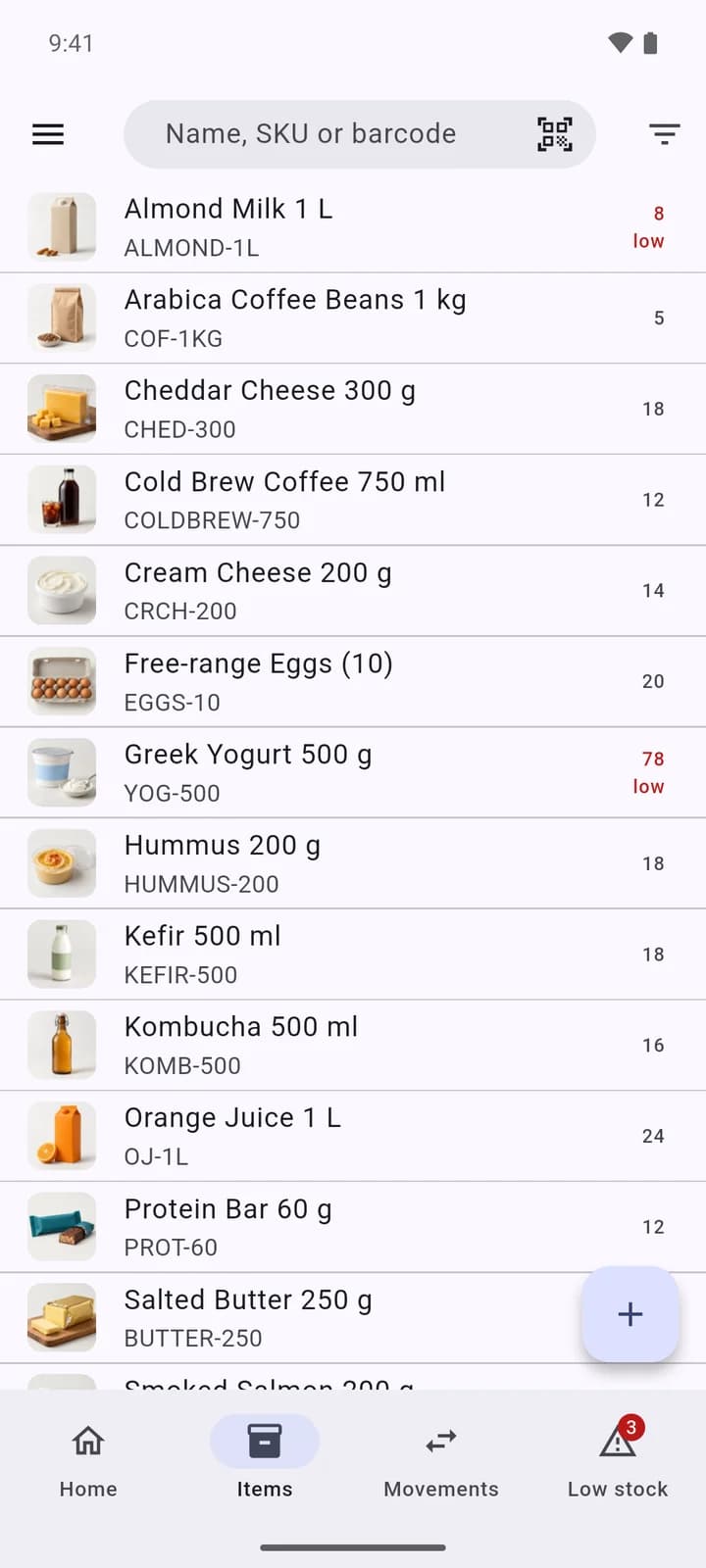
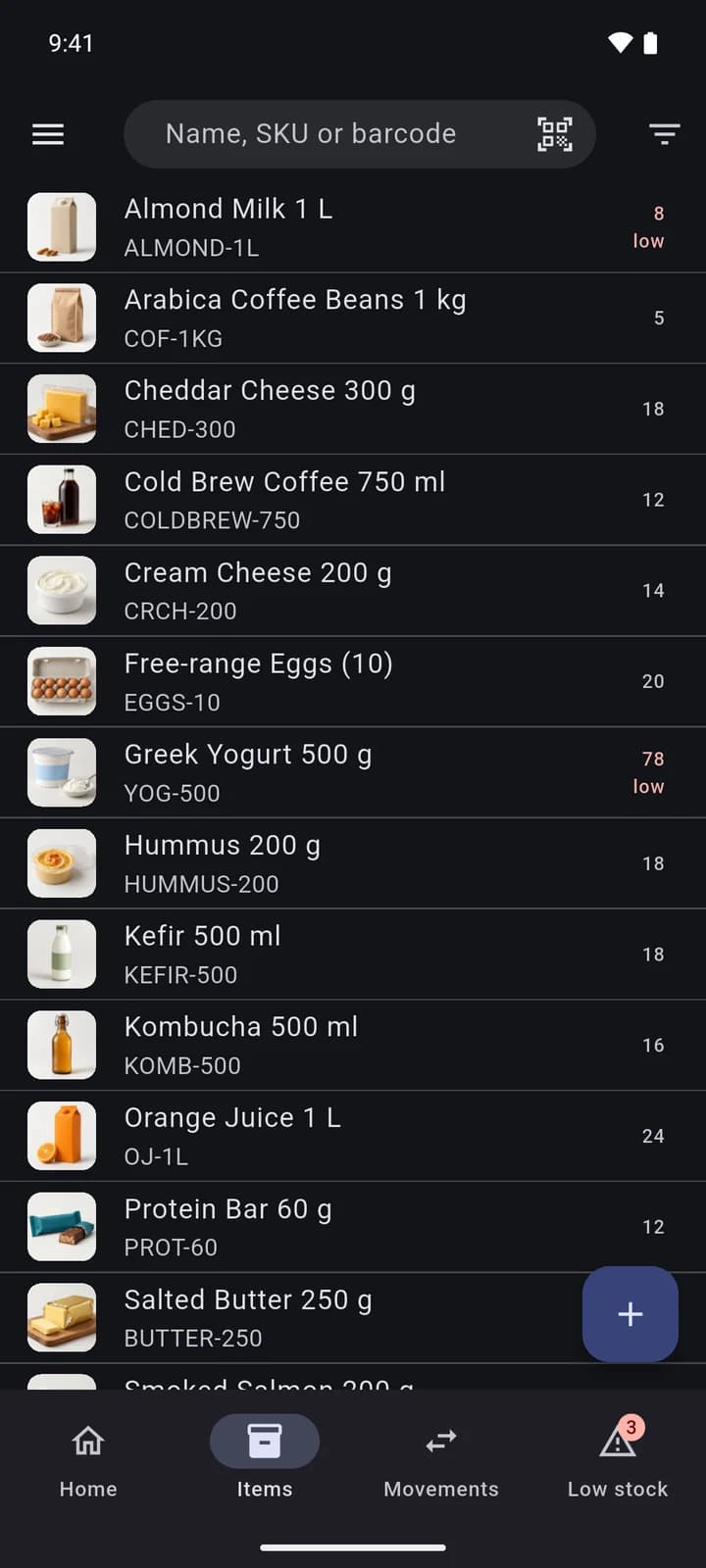
At the shelf, on your phone
Scan a code to receive, write off or look up an item. Android and iOS, included in early access.
Reads GS1 codes
Lot and expiry fill in from the barcode when it carries them.
Receive and write off
Stock in and out from the shelf.
Works without a signal
Stock lives on the phone and syncs with the web app once sync is on.
Low-stock and expiry alerts
A daily digest on the phone.
Excel import and export
Load a catalogue from a sheet, save stock to XLSX.
Free to start, then priced by the size you actually are
The free tier holds 1,500 SKUs with every feature on. Past it you pay for extra SKUs, locations and teammates, each priced on its own.
Free
1,500 SKUs · 1 location · solo
$0
forever
Every inventory feature included. Teammates are priced separately.
- Lots & expiry (FEFO)
- One-step recall trace
- Purchase & sales orders
- Stock valuation — landed cost
- Reorder from sales velocity
- Variants, packs, custom fields
- Multi-location & transfers
- Low-stock & expiry alerts
- CSV & Excel export
- Full movement journal
- And everything else — nothing gated.
Solo is free forever. Add teammates for $5 each, capped at $15/mo — past the cap every teammate is free.
Most free plans stop around 100 SKUs — this one holds 1,500.
Launch offer: the free tier may drop for new sign-ups later — the allowance you join at stays locked to your account.
Pay as you grow
no tier to jump1,500 free, then $5 per extra 500
Team
$5 per teammate, capped at $15/mo
Locations
1 free, then $1 each
You're inside the free tier — no card.
Questions
What happens after I ask for access?
We open workspaces in small batches and write once yours is ready. Nothing is set up, and nothing is charged, until then.
What does it cost?
A workspace is free up to 1,500 SKUs, one location and one person, with every feature on. Past that you pay for extra SKUs, locations and teammates, as the calculator above shows.
How do I move my products in?
Products and opening stock load from a CSV file, and Shopify and WooCommerce product exports are read as they are. If your sheet doesn't fit, send it to us and we'll help you load it.
Can I take my data with me?
Products, stock movements, purchase and sales orders, transfers, stock value and each lot's history export to CSV and Excel.
Do I have to use lots and expiry?
No. A workspace starts without them. Lots and expiry, and purchasing and sales, each turn on with one switch and off again without migrating data.
Is there a mobile app?
Yes, for Android and iOS. It scans barcodes, receives and writes off stock, and keeps working without a signal. It is part of early access.